Welcome to Android 3.0!
The Android 3.0 platform introduces many new and exciting features for users and developers. This document provides a glimpse of some of the new features and technologies, as delivered in Android 3.0. For a more detailed look at new developer APIs, see the Android 3.0 Platform document.New User Features
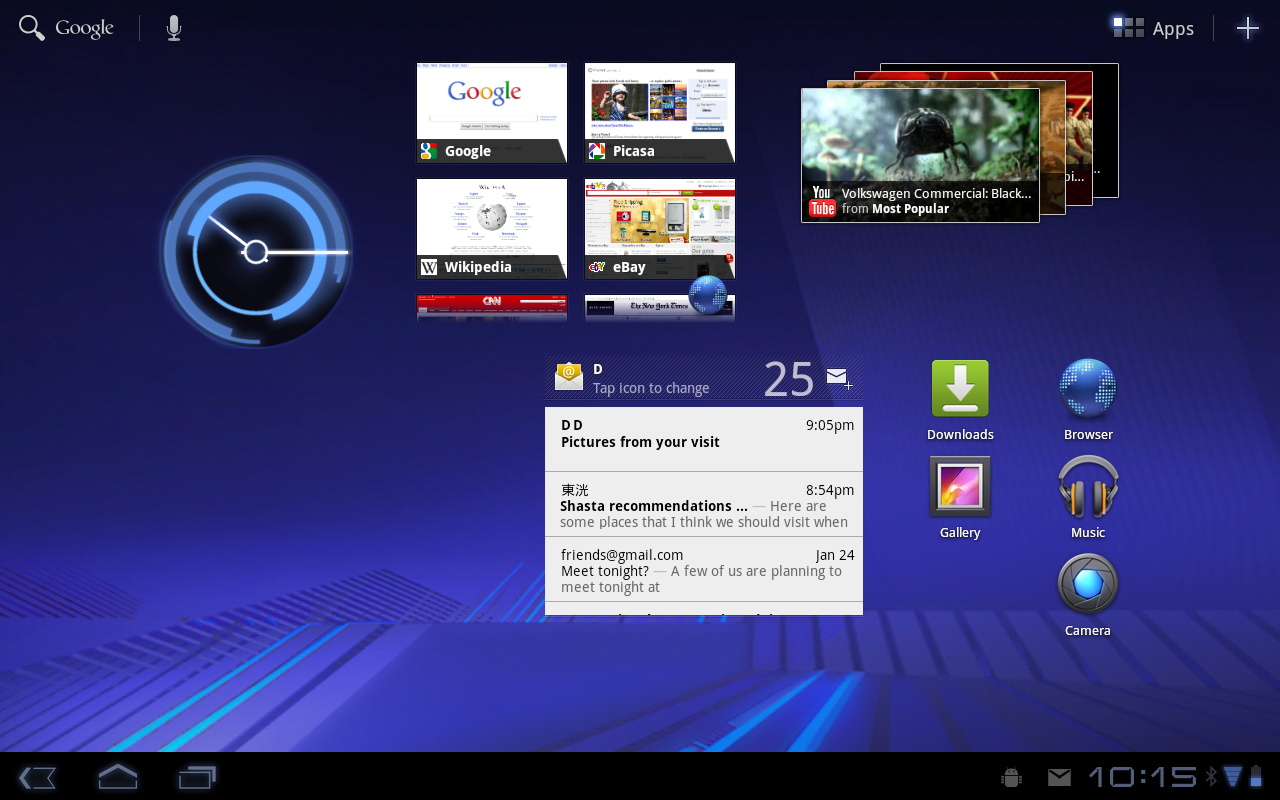
New UI designed from the ground up for tablets
Android 3.0 is a new version of the Android platform that is specifically optimized for devices with larger screen sizes, particularly tablets. It introduces a brand new, truly virtual and “holographic” UI design, as well as an elegant, content-focused interaction model.Android 3.0 builds on the things people love most about Android — refined multitasking, rich notifications, Home screen customization, widgets, and more — and transforms them with a vibrant, 3D experience and deeper interactivity, making them familiar but even better than before.
The new UI brings fresh paradigms for interaction, navigation, and customization and makes them available to all applications — even those built for earlier versions of the platform. Applications written for Android 3.0 are able to use an extended set of UI objects, powerful graphics, and media capabilities to engage users in new ways.
System Bar, for global status and notifications
Across the system and in all applications, users have quick access to
notifications, system status, and soft navigation buttons in a System
Bar, available at the bottom of the screen. The System Bar is always
present and is a key touchpoint for users, but in a new "lights out
mode" can also be dimmed for full-screen viewing, such as for videos.
Action Bar, for application control
In every application, users have access to contextual options,
navigation, widgets, or other types of content in an Action Bar,
displayed at the top of the screen. The Action Bar is always present
when an application is in use, although its content, theme, and other
properties are managed by the application rather than the system. The
Action Bar is another key touchpoint for users, especially with action
items and an overflow dropdown menu, which users frequently access in a
similar manner in most applications. 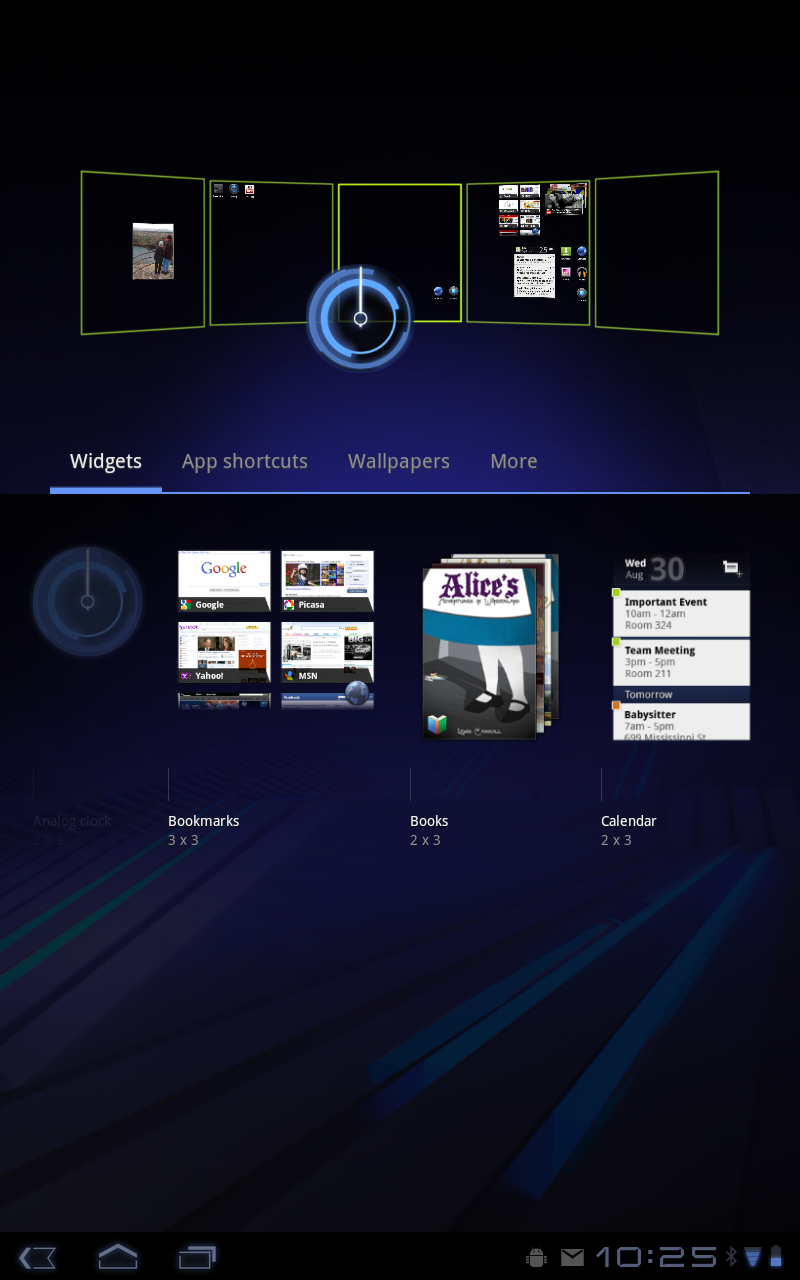
Customizable Home screens
Five customizable Home screens give users instant access to all parts
of the system from any context. Each screen offers a large grid that
maintains spatial arrangement in all orientations. Users can select and
manipulate Home screen widgets, app shortcuts, and wallpapers using a
dedicated visual layout mode. Visual cues and drop shadows improve
visibility when adjusting the layout of shortcuts and widgets. Each Home
screen also offers a familiar launcher for access to all installed
applications, as well as a Search box for universal search of apps,
contacts, media files, web content, and more.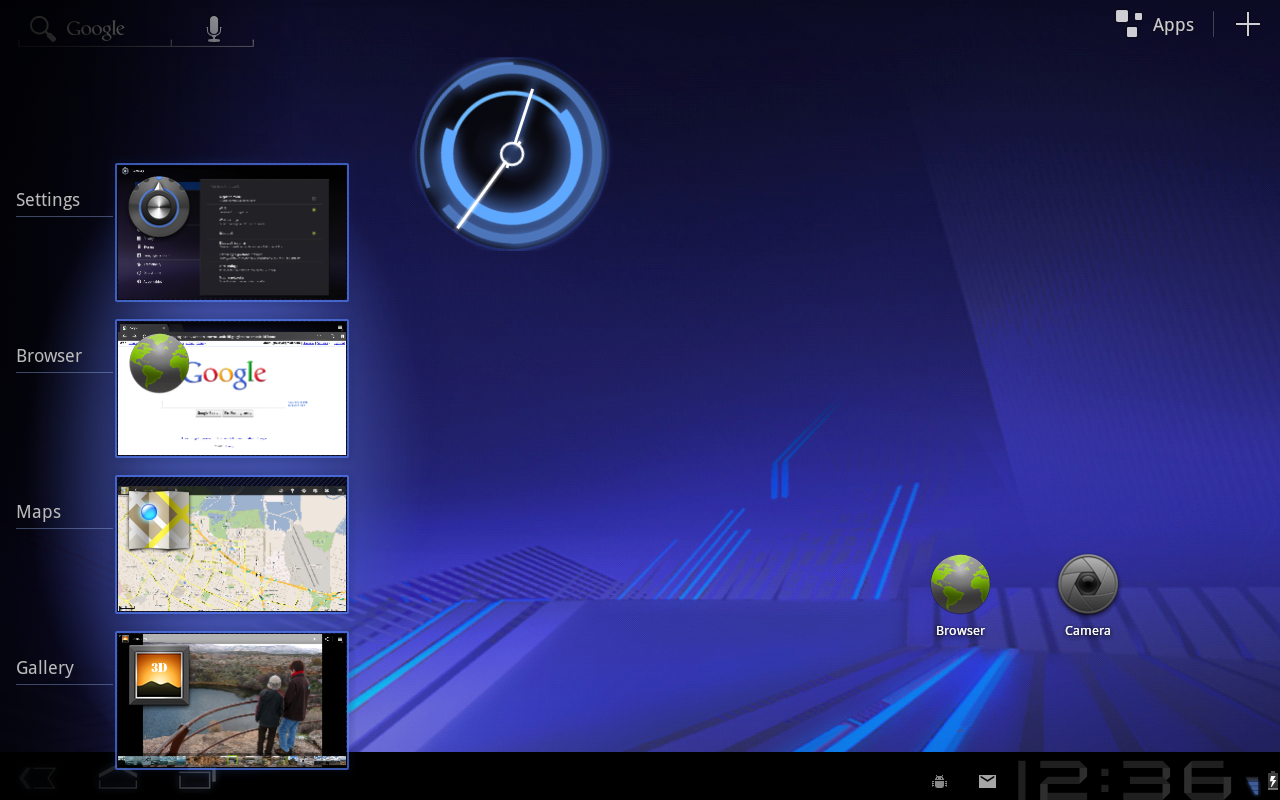
Recent Apps, for easy visual multitasking
Multitasking is a key strength of Android and it is central to the
Android 3.0 experience. As users launch applications to handle various
tasks, they can use the Recent Apps list in the System Bar to see the
tasks underway and quickly jump from one application context to another.
To help users rapidly identify the task associated with each app, the
list shows a snapshot of its actual state when the user last viewed it.Redesigned keyboard
The Android soft keyboard is redesigned to make entering text fast and accurate on larger screen sizes. The keys are reshaped and repositioned for improved targeting, and new keys have been added, such as a Tab key, to provide richer and more efficient text input. Users can touch-hold keys to access menus of special characters and switch text/voice input modes from a button in the System Bar.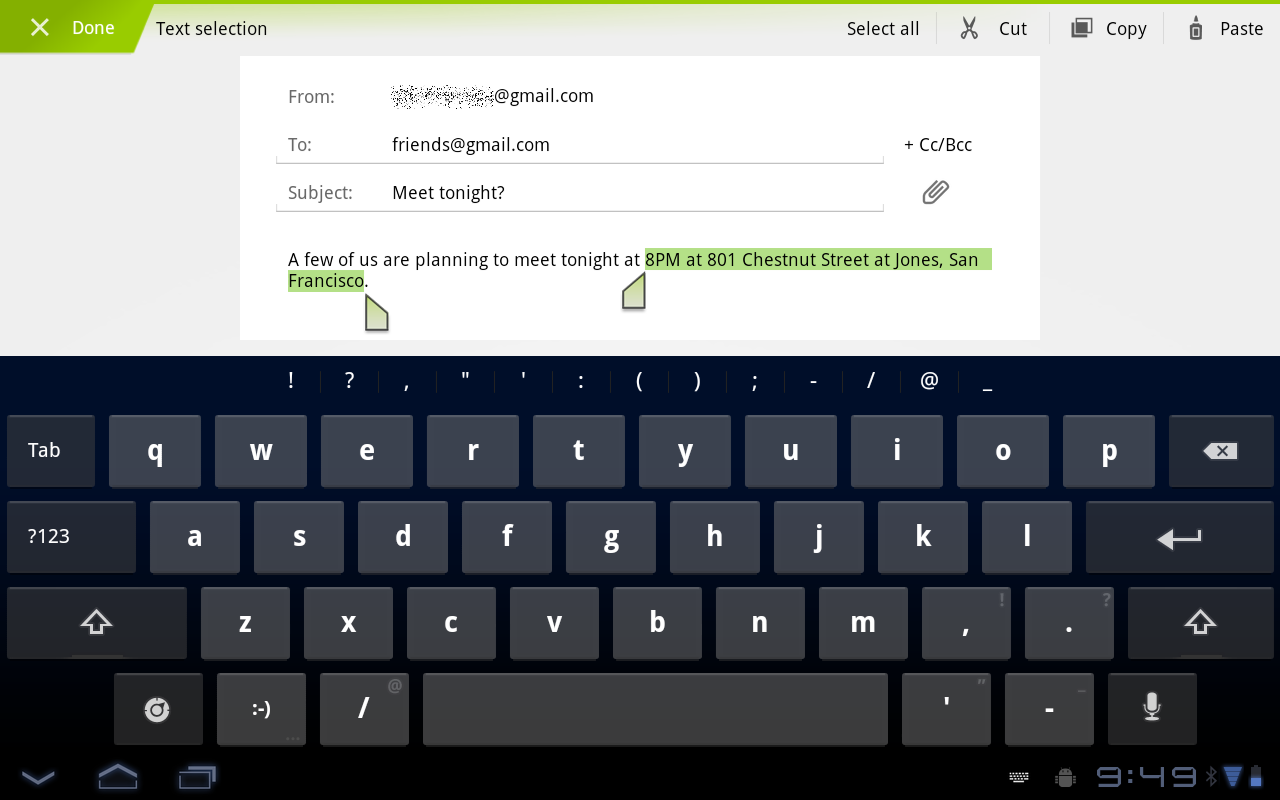
Improved text selection, copy and paste
When entering or viewing text, a new UI lets users quickly select a word by press-hold and then adjust the selection area as needed by dragging a set of bounding arrows to new positions. Users can then select an action from the Action Bar, such as copy to the clipboard, share, paste, web search, or find.New connectivity options
Android 3.0 includes new connectivity features that add versatility and convenience for users. Built-in support for Media/Picture Transfer Protocol lets users instantly sync media files with a USB-connected camera or desktop computer, without needing to mount a USB mass-storage device. Users can also connect full keyboards over either USB or Bluetooth, for a familiar text-input environment. For improved wi-fi connectivity, a new combo scan reduces scan times across bands and filters. New support for Bluetooth tethering means that more types of devices can share the network connection of an Android-powered device.Updated set of standard apps
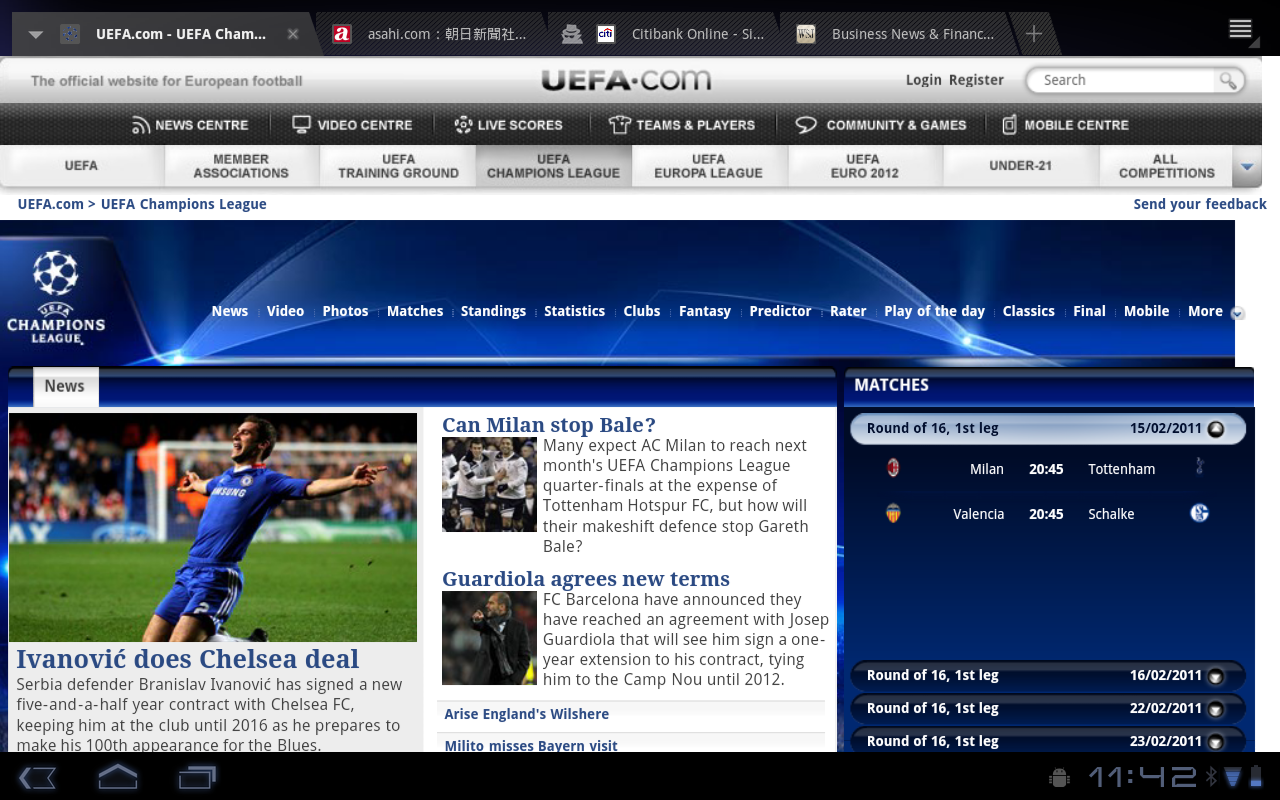
Browser The browser includes new features that let users navigate and organize more efficiently. Multiple tabs replace browser windows and a new “incognito” mode allows anonymous browsing. Bookmarks and history are presented and managed in a single unified view. Users can now choose to automatically sign into Google sites on the browser with a supplied account and sync bookmarks with Google Chrome. New multitouch support is now available to JavaScript and plugins. Users can enjoy a better browsing experience at non-mobile sites through an improved zoom and viewport model, overflow scrolling, support for fixed positioning, and more.
Camera and Gallery
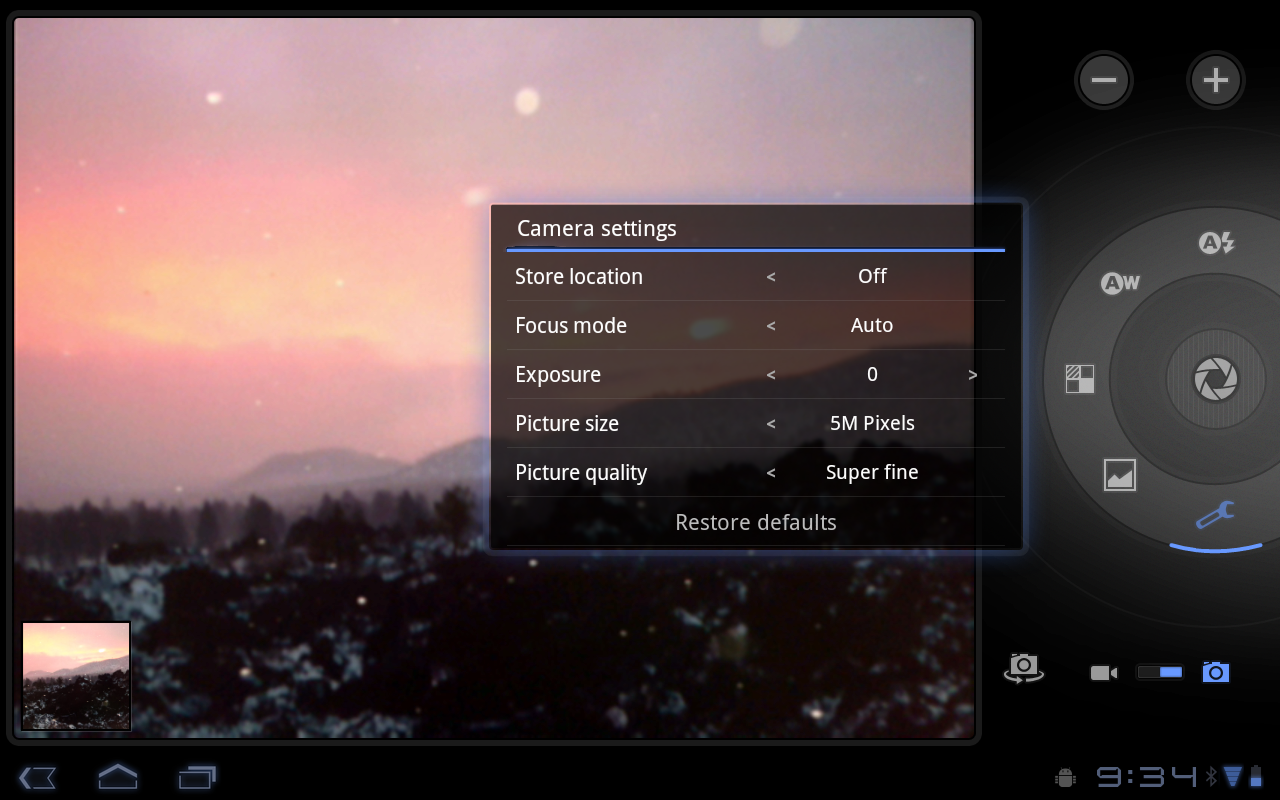
The Camera application has been redesigned to take advantage of a
larger screen for quick access to exposure, focus, flash, zoom,
front-facing camera, and more. To let users capture scenes in new ways,
it adds built-in support for time-lapse video recording. The Gallery
application lets users view albums and other collections in full-screen
mode, with easy access to thumbnails for other photos in the collection.
Contacts
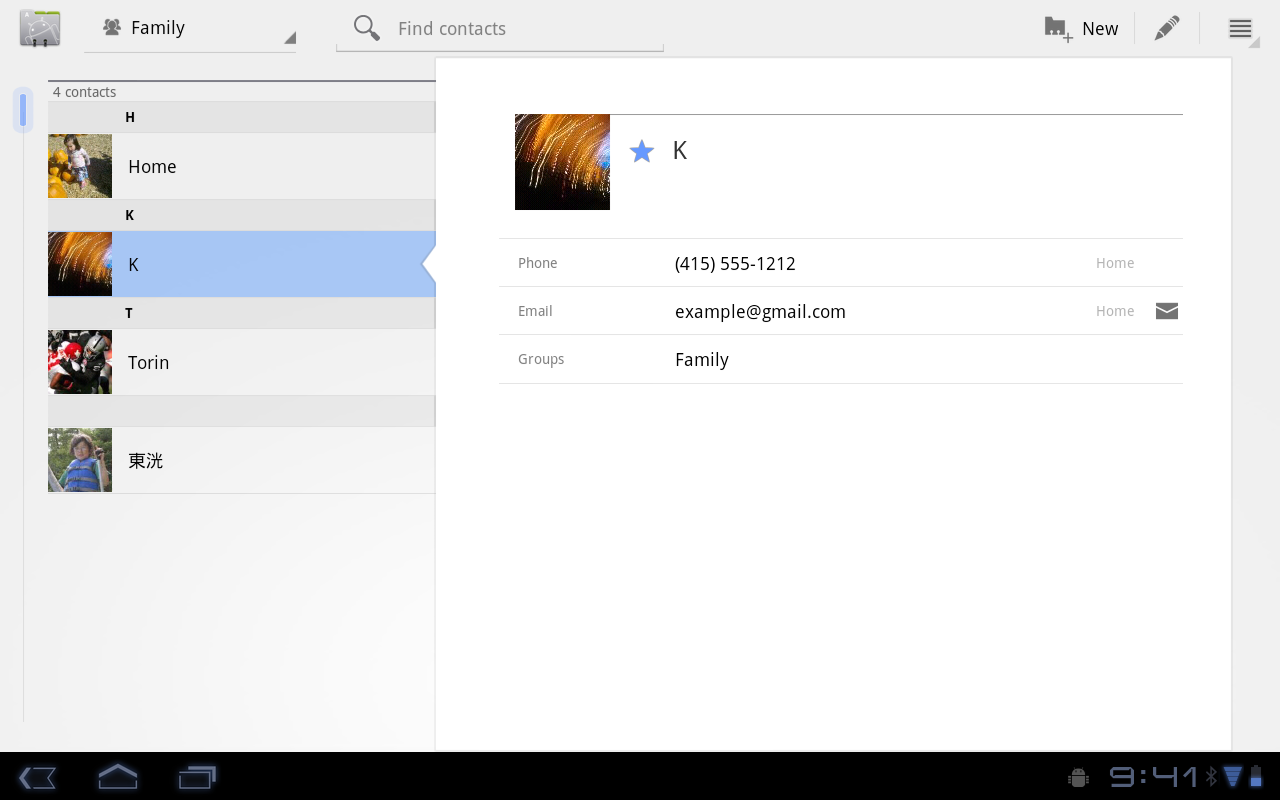
The Contacts app uses a new two-pane UI and Fast Scroll to let users
easily organize and locate contacts. The application offers improved
formatting of international phone numbers as user types, based on home
country and an international number parsing library. Contact
information is presented in a card-like UI, making it easier for users
to read and edit contacts.
Email
The Email application uses a new two-pane UI to make viewing and
organizing messages more efficient. The app lets users select one or
more messages, then select an action from the Action Bar, such as moving
them to a folder. Users can sync attachments for later viewing and keep
track of email using a home screen Widget.New Developer Features
The Android 3.0 platform is designed specially to meet the unique needs of applications on devices with larger screen sizes. It offers all of the tools developers need to create incredible visual and interaction experiences on these devices.
- New UI framework for creating great tablet apps
- High-performance 2D and 3D graphics
- Support for multicore processor architectures
- Rich multimedia and connectivity
- Enhancements for enterprise
- Compatibility with existing apps
New UI Framework for creating great tablet apps
Activity fragments, for greater control of content and design flexibility
Starting with Android 3.0, developers can break the Activities of
their applications into subcomponents called Fragments, then combine
them in a variety of ways to create a richer, more interactive
experience. For example, an application can use a set of Fragments to
create a true multipane UI, with the user being able to interact with
each pane independently. Fragments can be added, removed, replaced, and
animated inside an Activity dynamically, and they are modular and
reusable across multiple Activities. Because they are modular, Fragments
also offer an efficient way for developers to write applications that
can run properly on both larger screen as well as smaller screen
devices.
Redesigned UI widgets
Android 3.0 offers an updated set of UI widgets that developers can
use to quickly add new types of content to their applications. The new
UI widgets are redesigned for use on larger screens such as tablets and
incorporate the new holographic UI theme. Several new widget types are
available, including a 3D stack, search box, a date/time picker, number
picker, calendar, popup menu, and others. Most of the redesigned UI
widgets can now be used as remote views in application widgets displayed
on the home screen. Applications written for earlier versions can
inherit the new Widget designs and themes.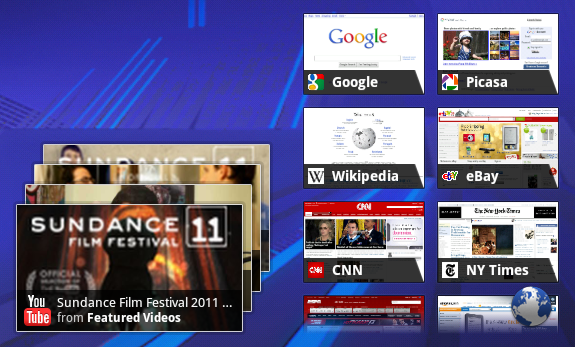
Expanded Home screen widgets
Home screen widgets are popular with users because they offer fast
access to application-specific data directly from the home screen.
Android 3.0 lets developers take home screen widgets to the next level,
offering more types of content and new modes of interaction with users.
Developers can now use more standard UI widget types home screen
widgets, including widgets that let users flip through collections of
content as 3D stacks, grids, or lists. Users can interact with the home
screen widgets in new ways, such as by using touch gestures to scroll
and flip the content displayed in a widget.
Persistent Action Bar
The platform provides each application with its own instance of the
Action Bar at the top of the screen, which the application can use to
give the user quick access to contextual options, widgets, status,
navigation, and more. The application can also customize the display
theme of its Action Bar instance. The Action Bar lets developers expose
more features of their applications to users in a familiar location,
while also unifying the experience of using an application that spans
multiple Activities or states.
Richer notifications
Notifications are a key part of the Android user experience because
they let applications show key updates and status information to users
in real time. Android 3.0 extends this capability, letting developers
include richer content and control more properties. A new builder class
lets developers quickly create notifications that include large and
small icons, a title, a priority flag, and any properties already
available in previous versions. Notifications can offer more types of
content by building on the expanded set of UI Widgets that are now
available as remote Views.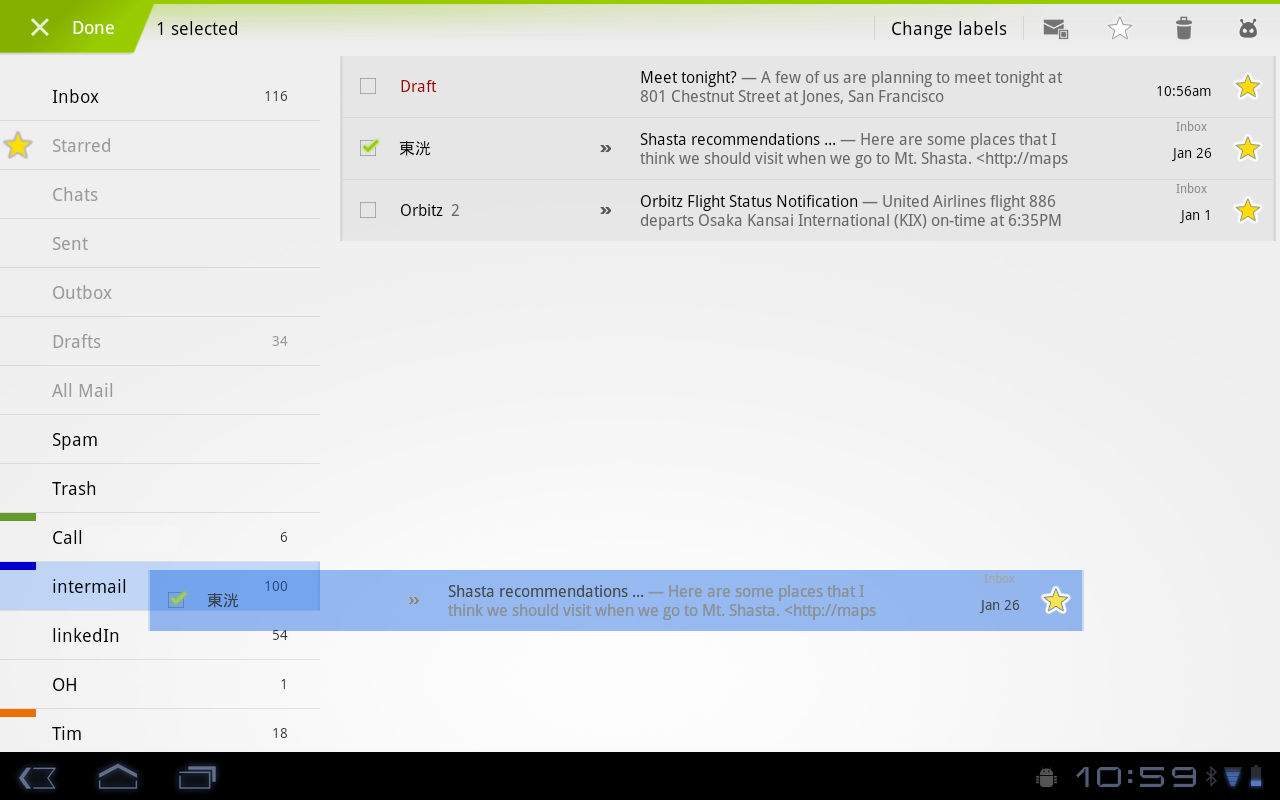
Multiselect, clipboard, and drag-and-drop
The platform offers convenient new interaction modes that developers
can use. For managing collections of items in lists or grids, developers
can offer a new multiselect mode that lets users choose multiple items
for an action. Developers can also use a new system-wide Clipboard to
let users easily copy any type of data into and out of their
applications. To make it easier for users to manage and organize files,
developers can now add drag-and-drop interaction through a DragEvent
framework.High-performance 2D and 3D graphics
New animation framework
The platform includes a flexible new animation framework that lets
developers easily animate the properties of UI elements such as Views,
Widgets, Fragments, Drawables, or any arbitrary object. Animations can
create fades or movement between states, loop an animated image or an
existing animation, change colors, and much more. Adding animation to UI
elements can add visual interest to an application and refine the user
experience, to keep users engaged.
Hardware-accelerated 2D graphics
Android 3.0 offers a new hardware-accelerated OpenGL renderer that
gives a performance boost to many common graphics operations for
applications running in the Android framework. When the renderer is
enabled, most operations in Canvas, Paint, Xfermode, ColorFilter,
Shader, and Camera are accelerated. Developers can control how
hardware-acceleration is applied at every level, from enabling it
globally in an application to enabling it in specific Activities and
Views inside the application.
Renderscript 3D graphics engine
Renderscript is a runtime 3D framework that provides both an API for
building 3D scenes as well as a special, platform-independent shader
language for maximum performance. Using Renderscript, you can accelerate
graphics operations and data processing. Renderscript is an ideal way
to create high-performance 3D effects for applications, wallpapers,
carousels, and more.Support for multicore processor architectures
Android 3.0 is the first version of the platform designed to run on either single or multicore processor architectures. A variety of changes in the Dalvik VM, Bionic library, and elsewhere add support for symmetric multiprocessing in multicore environments. These optimizations can benefit all applications, even those that are single-threaded. For example, with two active cores, a single-threaded application might still see a performance boost if the Dalvik garbage collector runs on the second core. The system will arrange for this automatically.Rich multimedia and connectivity
HTTP Live streaming
Applications can now pass an M3U playlist URL to the media framework
to begin an HTTP Live streaming session. The media framework supports
most of the HTTP Live streaming specification, including adaptive bit
rate.
Pluggable DRM framework
Android 3.0 includes an extensible DRM framework that lets
applications manage protected content according to a variety of DRM
mechanisms that may be available on the device. For application
developers, the framework API offers an consistent, unified API that
simplifies the management of protected content, regardless of the
underlying DRM engines.
Digital media file transfer
The platform includes built-in support for Media/Picture Transfer
Protocol (MTP/PTP) over USB, which lets users easily transfer any type
of media files between devices and to a host computer. Developers can
build on this support, creating applications that let users create or
manage media files that they may want to transfer or share across
devices.
More types of connectivity
The platform offers new connectivity that developers can build on.
API support for Bluetooth A2DP and HSP profiles lets applications query
Bluetooth profiles for connected devices, audio state, and more, then
notify the user. For example, a music application can check connectivity
and status and let the user know that music is playing through a stereo
headset. Applications can also register to receive system broadcasts of
pre-defined vendor-specific AT commands, such as Platronics Xevent. For
example, an application could receive broadcasts that indicate a
connected device's battery level and could notify the user or take other
action as needed. Applications can also take advantage of the
platform's new support for full keyboards connected by USB or Bluetooth.

No comments:
Post a Comment